Angular1.5到Angular1.6的JSONP交互相关的设置及小Demo
不管学习那个前端框架(其实后端也是)都回避不了,数据的交互。在交互中在重要的两个就是AJax以及跨域的JSONP。
Angular--Ajax交互
在之前的博文中开头先跑题一下说说第一种Angular的Ajax交互。 废话不多说上代码:
       var app = angular.module('app', []);
        app.controller('show', function ($scope, $http) {
            $scope.get = function () {
                $http({
                    method: 'GET',
                    url: 'a.txt'
                }).then(function (res) {
                    alert(res.data);
                }, function () {

                })
            }
        });
这里在文件夹内建了一个a.txt文件里面随便打了一些数字。在angular包裹的控制器中调用$http,设置url以及所使用的method。如果有其他数据就加一个data属性。这样向后台发的信息就制作好了。是不是和JQ很像。之后then后面两个函数一次对应JQ中的success和error函数。这里。我们当它成功获取a.txt文件中数据时,console.log一下.数据就在我们控制台显示了出来。

Angular--JSONP交互
下面开始说今儿的重点JSONP交互。Angular中JSONP的操作也是基于$http方法中的。由于前端框架的高速版本变化。在JSONP这一块1.5版本和1.6版本有很大的不同。下面就来详细说一下。
Angular1.5及以下版本
在1.5及以下版本里。
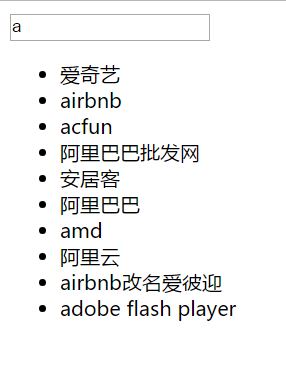
是通过在url中callback='JSON_CALLBACK'。来进行JSONP的操作。这里还是那代码举例。还是之前JQ/原生JS那块在在输入框输入字符,通过JSONP调用百度联想功能,列出索引联想的那个例子。
<!DOCTYPE html>
<html ng-app="app">
<head lang="en">
    <meta charset="UTF-8">
    <title></title>

    <script src="angular1-5-6.js"></script>
    <script>
        var app=angular.module('app',[]);

        app.controller('show',function($scope,$http){
            $scope.arr=[];
            $scope.msg='';
            //当msg变的时候
            $scope.$watch('msg',function(){
                $http({
                    method:'JSONP',
                    url:'https://sp0.baidu.com/5a1Fazu8AA54nxGko9WTAnF6hhy/su?wd='+$scope.msg+'&cb='+'JSON_CALLBACK'
                }).then(function(res){
                    //成功的函数
                    $scope.arr=res.data.s;
                },function(){
                    //失败的函数
                })
            });
        });
    </script>
</head>
<body ng-controller="show">
    <input type="text" ng-model="msg"/>
    <ul>
        <li ng-repeat="v in arr">{{v}}</li>
    </ul>
</body>
</html>
和之前Ajax的调用很像。区别就是method设置为‘JSONP’以及url使用了
url:'https://sp0.baidu.com/5a1Fazu8AA54nxGko9WTAnF6hhy/su? wd='+$scope.msg+'&cb='+'JSON_CALLBACK'
期间$scope.ms'为$scope.$watch监控输入栏变化的值,进行实时监控。
在线Demo:https://laclys.github.io/HTML-CSS-JS_practice/angular/JSONP_baidu_keywords1-5-6.html
Angular1.6
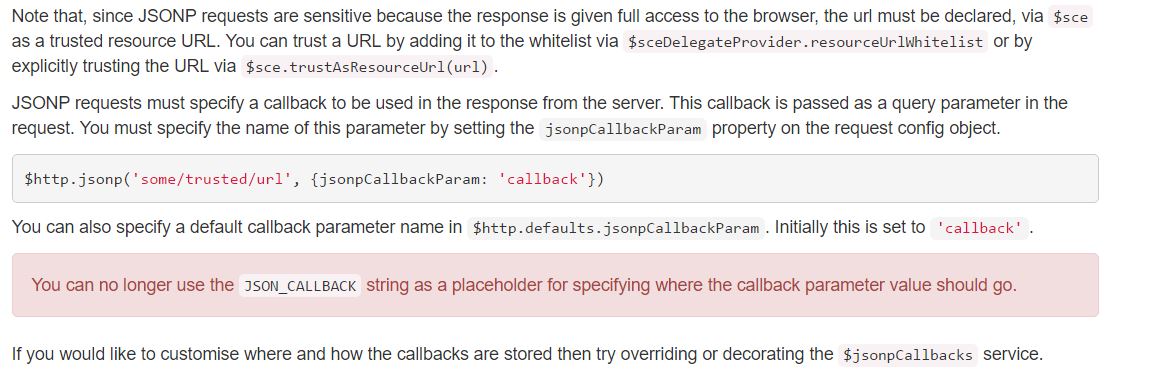
下面开始说最新的1.6版本。一开始做练习的时候用的1.6.3版本,怎么也出不来,换成了1.5.6就ok了。之后各种查资料,搜索1.6怎么使用。官网是这么说的1.5之后不能再用JSON_CALLBACK了,并且要把JSONP的url加入白名单。看完第一感觉是懵逼的。说实话网上这一块资料比较少,也没有例子。之后捣鼓好半天研究了出来。1.6中$watch函数中得这么写:
               var url = 'https://sp0.baidu.com/5a1Fazu8AA54nxGko9WTAnF6hhy/su';
                var temp = $scope.msg;
                console.log(temp);
                $http.jsonp(
                    $sce.trustAsResourceUrl(url), {
                        params: {
                            wd: temp
                        },
                        jsonpCallbackParam: 'cb'
                    }
                ).then(function (res) {
                    // alert(res.data.s)
                    $scope.arr = res.data.s;
                }, function (res) {
                    alert('res')
                });
使用'$http.json'。要处理的url的callback之前通过'$sce.trustAsResourceUrl(url)',添加到白名单。之后我们的参数要放在params中。最后 jsonpCallbackParam: 'cb'。 Demo如下:https://laclys.github.io/HTML-CSS-JS_practice/angular/JSONP_baidu_keywords.html
1.6网上的资料还是太少,文档有些含糊纠结了我好半天。一顿乱试。还好最后成功了。不然纠结死我= =。angular这块水很深,还是要多多啃文档才行~